 K&A Digital Studio
Templates / Harbor
Website template · Local business
Harbor
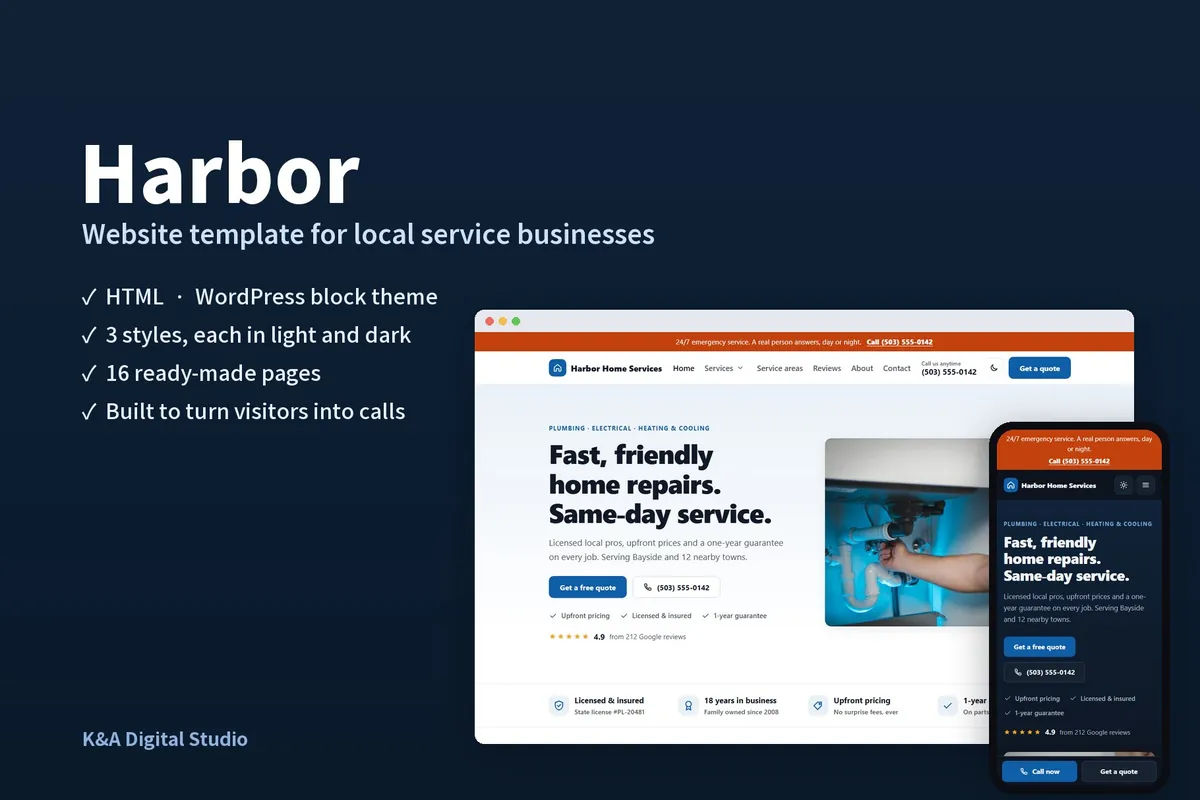
A fast, accessible website for plumbers, electricians, HVAC, cleaners, landscapers and every local service. Every page is built around one goal: getting the phone to ring.
What’s included
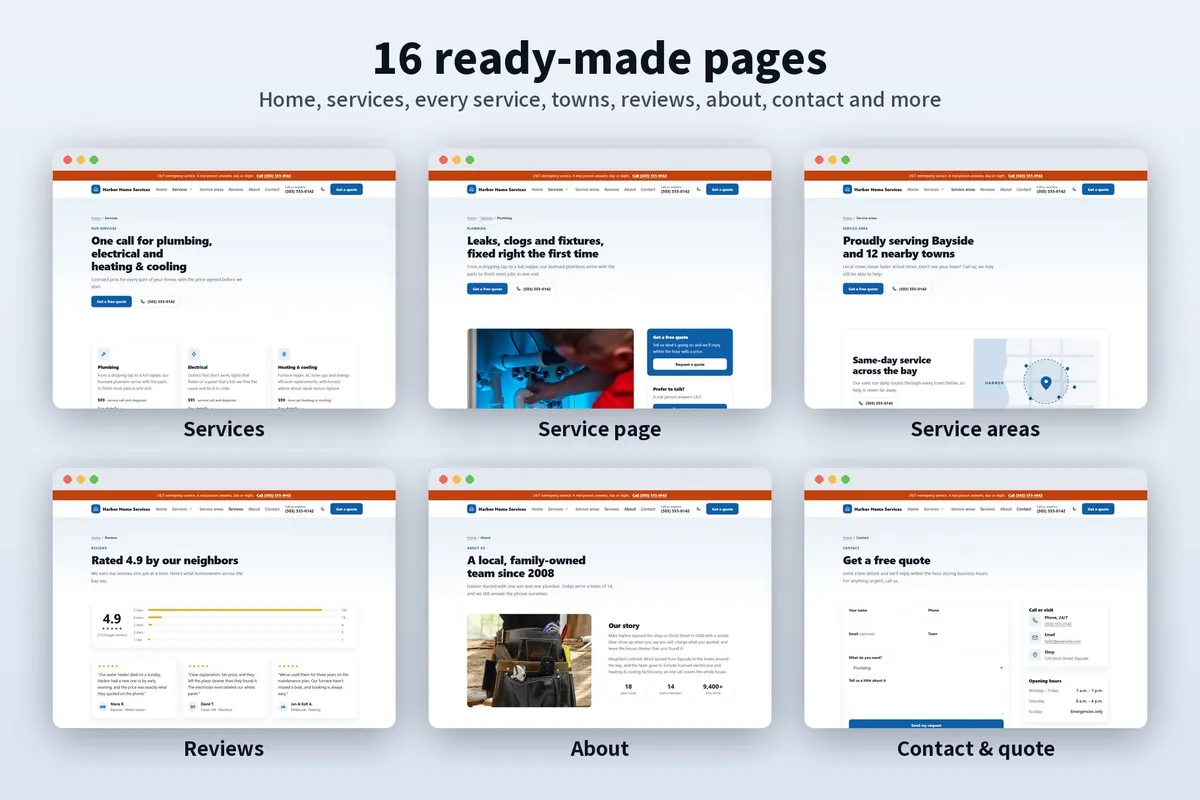
- 16 ready-made pages, from phone to desktop
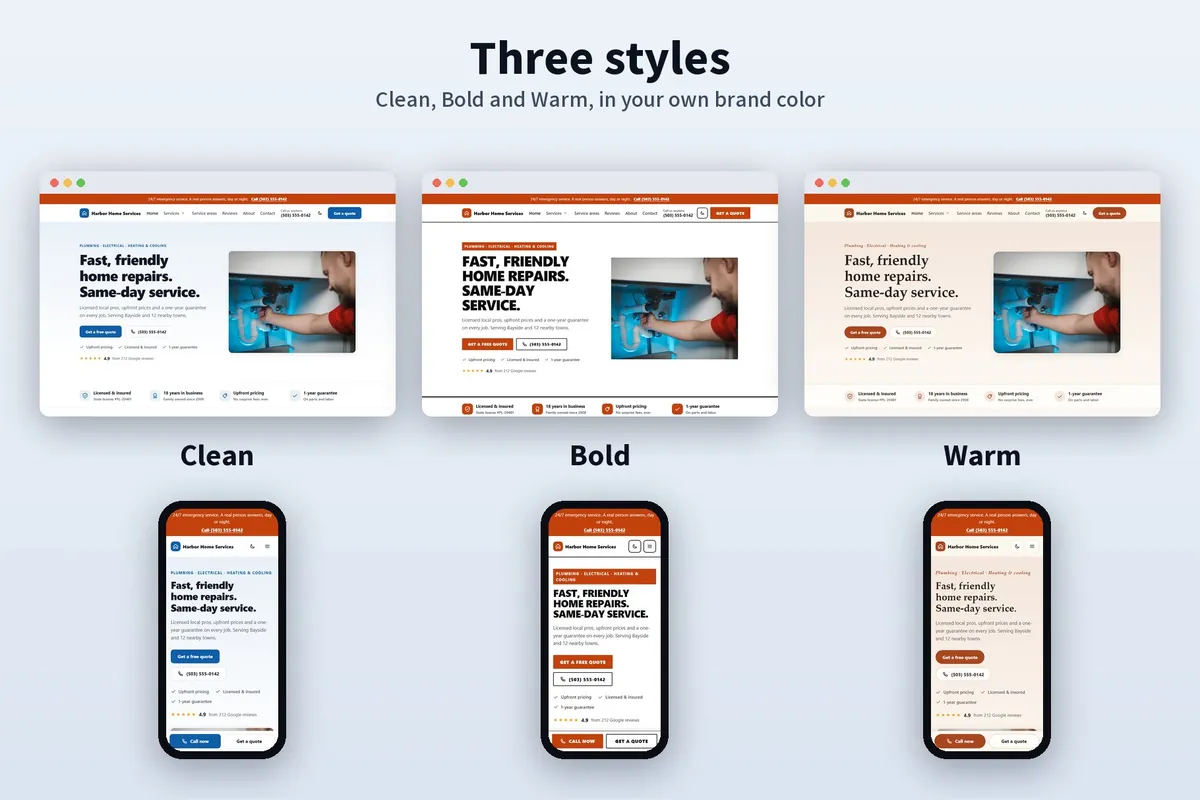
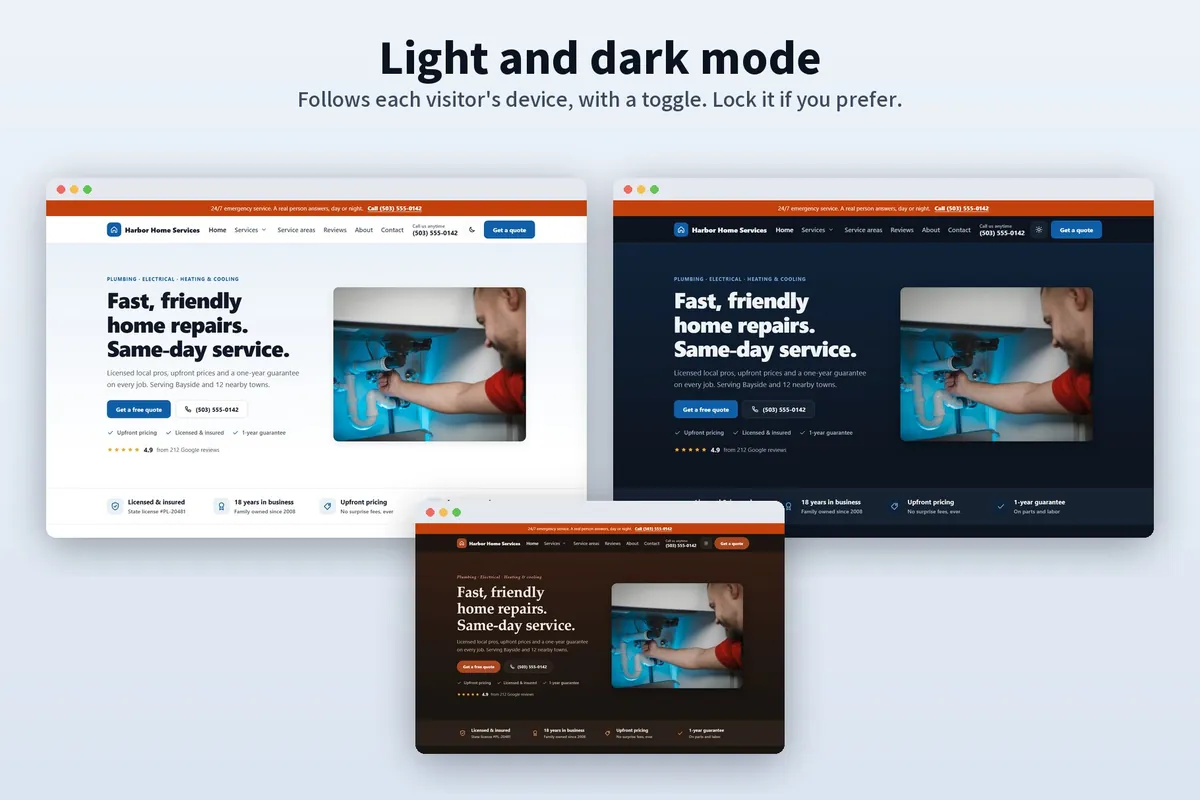
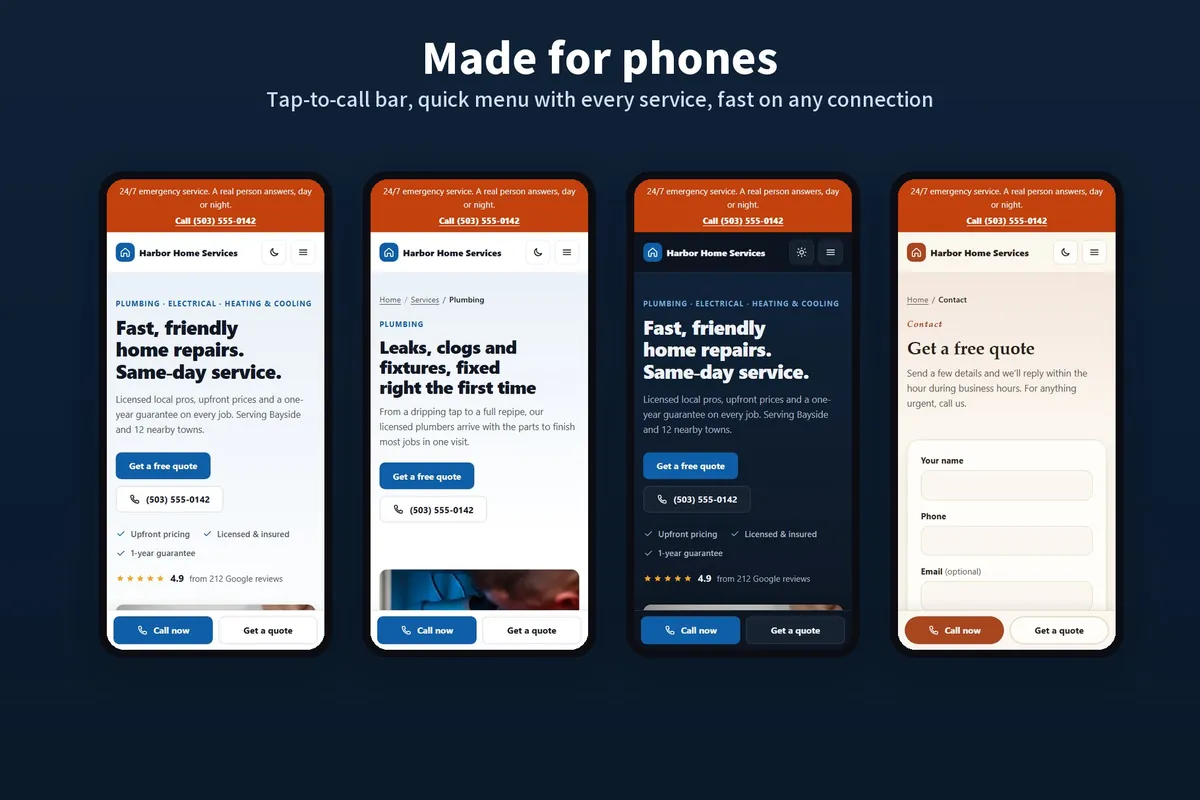
- 3 styles (Clean, Bold, Warm), each in light and dark mode, in your own brand color
- A tap-to-call bar on phones, “Get a quote” on every page and an optional 24/7 emergency banner
- Local search ready: service pages, town pages and business details Google can read
- A quote form ready for free form services, and a spot for your booking calendar (Calendly, Square, Jobber, Housecall Pro)
- Reviews, licenses, years in business and upfront pricing, right where customers look
- No cookies or tracking out of the box
- A step-by-step setup guide with pictures, written for business owners, plus email support
Pages
- Home
- Services
- 6 service pages
- Service areas
- Town page
- Reviews
- About
- Contact & quote
- Privacy
- Thank you
- 404
What’s in the download
HTML version
For any web host, including free ones like Netlify and Cloudflare Pages.
- The site: 16 pages, styles, script and icons
- Placeholder photos to replace with your own
- The setup guide (PDF and web page)
- License and changelog
WordPress version
For WordPress 6.6 or newer. No page builder, no required plugins.
- The theme, ready to upload, with 30 ready-made sections and pages
- Demo content that builds the demo pages for you
- The setup guide with screenshots (PDF and web page)
- GPL license and changelog
A closer look
Questions
Do I need to know how to code?
No. The HTML guide walks you through changing text, photos and colors with a free text editor, and putting the site online. Prefer pointing and clicking? Choose the WordPress version.
HTML or WordPress: which should I choose?
If you already have WordPress hosting, or want to edit everything visually, choose WordPress. If you want the fastest, simplest site with free hosting, choose HTML. Not sure? The live demos show both.
Where can I host it?
The HTML version runs anywhere that serves plain files: Netlify, Cloudflare Pages, GitHub Pages or your current web host. The WordPress version runs on any WordPress hosting.
Does it work with my booking tool?
The contact page has a spot for an embed from booking tools such as Calendly, Square, Jobber or Housecall Pro. The guide shows where to paste yours.
Are the demo photos included?
No. The demo uses free stock photos for preview only. The download has placeholders, so your site shows your own work.
What if something doesn’t work?
Email us. Support covers setup questions and bugs for 12 months. See the refund policy.